
Securing a computer display sounds simple until you consider everything that actually needs protecting.
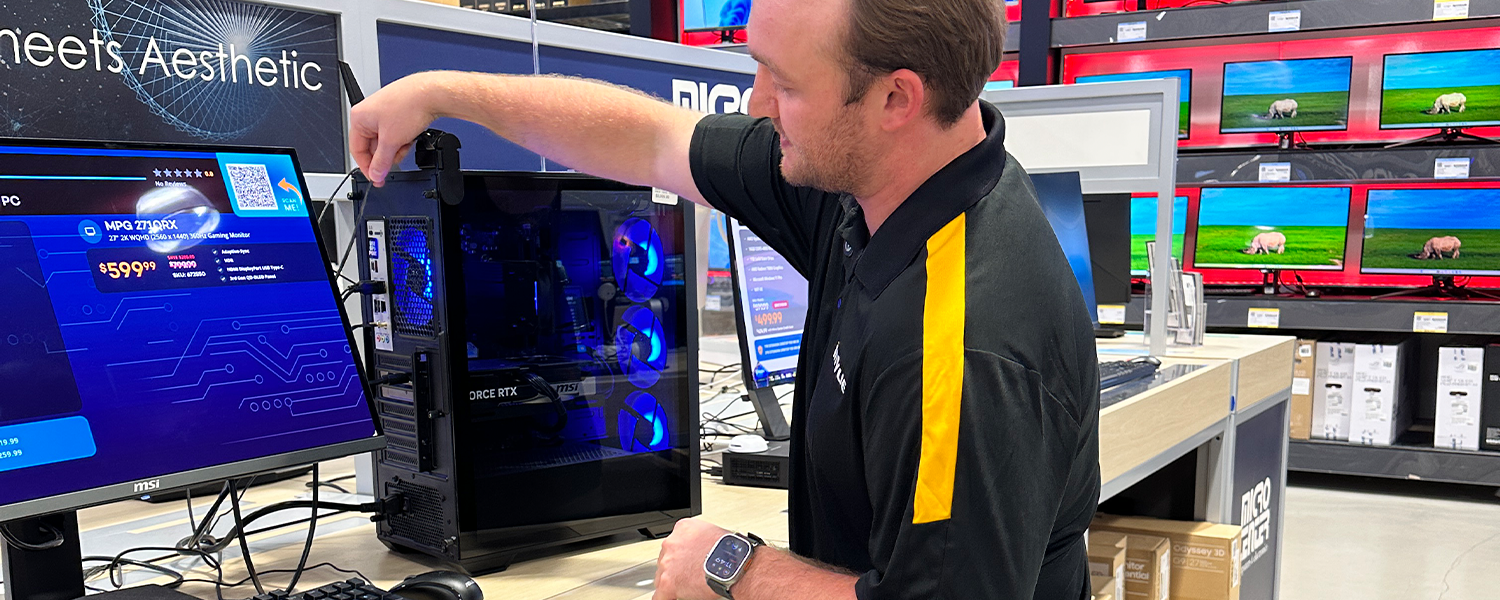
There’s the PC tower. There’s the display. There may be a keyboard and mouse. And inside certain desktop PCs are removable components that can carry considerable value on their own.
Yet many computer security solutions are designed around one job: keeping the device attached to the display.
For today’s retailers, that can leave parts of the display, and potentially thousands of dollars in merchandise, exposed to theft.
Not Every Computer Locks the Same Way
For decades, the Kensington Security Slot has given computer manufacturers a simple way to make devices compatible with cable locks. Insert a compatible lock into the built-in slot, tether the device to a fixture, and the computer is harder to remove.
But the security slot itself isn’t universal.
As computers have become thinner and more compact, manufacturers have had less room for the traditional Kensington slot. Today, devices may use Standard, Nano, or wedge-shaped security slots, while others may not include a built-in security slot at all. That means a lock designed for one computer may not necessarily work with the next.
For retailers, the takeaway isn’t that cable locks don’t work. It’s that security can become dependent on the hardware manufacturers choose to build into the device.
That matters when a computer display contains different brands, models and accesories and the retailer wants a consistent approach to protecting them.
The result can be a patchwork approach to computer security. One device may accept a traditional security slot while another requires a different lock. The PC tower may need one solution, while the monitor, keyboard, and mouse require others. Add protection for components inside the tower, and what sounded like one security problem can quickly become several.
The challenge isn’t necessarily finding a security product. It’s finding a way to protect the entire computer display without creating a collection of disconnected solutions that associates have to manage.
And compatibility is only one reason computer display security can become fragmented.
Even if every tower had the same security slot, would securing the tower protect everything valuable inside it?
A Desktop Tower Can Be More Than One Asset
Unlike many consumer electronics, desktop towers are built to be opened.
Memory can be upgraded. Storage can be replaced. Graphics cards can be removed. For PC owners, that modularity is one of the advantages of owning a desktop. From a retail security perspective, however, it creates another consideration: the computer can stay exactly where it is while a valuable component leaves the store.
That’s particularly relevant for gaming computers.
A high-performance gaming PC may contain a powerful graphics processing unit, or GPU, that represents a significant amount of value on its own. Current-generation graphics cards can range from several hundred dollars to well over $1,000 at launch. For example, NVIDIA launched one of its high-end graphics cards (GeForce RTX 5080) at $999 and its top model (RTX 5090) at $1,999. Prices at retail can climb even higher. In June 2026, Tom’s Hardware reported median prices of about $1,099 for another high-performance model (RTX 5070 Ti) and $4,299 for NVIDIA’s top model (RTX 5090). And because GPUs are removable and have their own resale value, protecting the exterior of the tower doesn’t necessarily protect everything inside it.
That changes the security question from:
How do we keep someone from taking this PC?
to:
What within this PC needs to be protected too?
Why AI Has Put More Attention on What’s Inside the PC
GPUs have long been valuable components in high-performance and gaming computers. But AI has put a new spotlight on the processing power they provide.
Much of today’s explosive demand for AI computing is concentrated in data centers. Gartner expects worldwide AI spending to reach $2.59 trillion in 2026, with AI infrastructure becoming the largest segment of that spending over the coming years.
At the same time, AI processing is beginning to happen on personal computers too. Today’s AI PCs distribute workloads across CPUs, GPUs, and specialized NPUs, bringing more processing directly onto the device.
For retail security, however, the important point is much simpler:
A desktop PC can contain individual, removable components that carry significant value of their own.
And retailers are already seeing the consequences. In one retail opportunity InVue received, the retailer reported “enhanced theft of GPU cards” from desktop PCs used for gaming.
A PC can still be sitting on the display while one of its most valuable components is already gone.
From Pieced-Together Security to One System
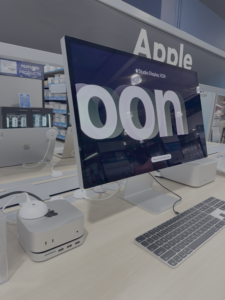
A desktop display isn’t one product, and each part of it doesn’t present the same risk. The answer isn’t forcing one security product to do everything. It’s giving each product the right protection without making associates manage the display as a collection of separate security solutions.
InVue approaches the computer display differently. Rather than asking one security device to protect everything, each part of the display gets protection designed around its specific risk, while bringing those solutions together under one security system that makes the entire display easier to manage.
| What needs protection | What security needs to solve | How to protect it |
| Components inside the PC | Restrict unauthorized access to GPUs and other valuable internal components | Desktop Lock protects access to the PC tower. |
| PC tower | Prevent removal of the entire desktop | Desktop Lock + Zips Single Port tethers the tower to the fixture, with alarming protection available. |
| Monitor / display | Protect the screen while keeping it accessible to shoppers | Laptop AOP provides security designed around customer interaction. |
| Keyboard, mouse + accessories | Secure smaller electronics while keeping them available for use | Zips protects interactive peripherals and accessories. |
And to manage and access all components of the display, OneKEY brings compatible InVue security solutions under one access system, giving authorized associates a consistent way to work across the entire display without separate keys. So they can assist customers, access merchandise, and make display changes without managing a different key or access method for every product.
Keep the right security on each asset while making the entire computer display simpler and more consistent to manage.

